 MyListResort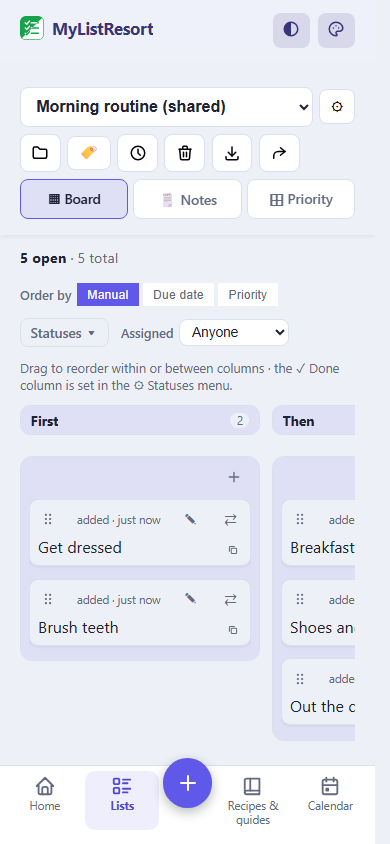
What people track
- the one yogurt that works
- IEP or 504 review date
- supply reorder
- waitlist check-in call
Starter templates
Choose a template when you create the list and its categories are set up for you. Many templates also pre-fill a ready checklist, so you start from a working list instead of a blank page. Still fully editable.
Renewals & due dates
- School
- Insurance & programs
- Prescriptions & equipment
- ID & renewals
Starts pre-filled with 7 items, like “IEP or 504 annual review” and “Three-year reevaluation”.
Use this templateWaitlist tracker
- To call
- On the waitlist
- Cancellation list
- Scheduled
Starts pre-filled with 4 items, like “First place to call” and “Second place to call”.
Use this templateSafe foods
- Safe
- Trying
- Lost for now
Starts pre-filled with 4 items, like “The food that always works” and “The backup brand that also works”.
Use this templateCare guide
- Emergency basics
- Who to call
- A typical day
- What helps
- Food notes
Starts pre-filled with 12 items, like “How communication works” and “What calms a hard moment”.
Use this templateSupplies & reorders
- Order monthly
- Order less often
- Fit checks
Starts pre-filled with 5 items, like “The supply you reorder most” and “Second everyday supply”.
Use this templateRoutine board
- First
- Then
- Done
Starts pre-filled with 5 items, like “Get dressed” and “Brush teeth”.
Use this templateBedtime routine
- First
- Then
- Done
Starts pre-filled with 7 items, like “Snack and last drink” and “Bath or wash”.
Use this templateAfter-school routine
- First
- Then
- Done
Starts pre-filled with 6 items, like “Bag and shoes away” and “Snack”.
Use this templateEvaluation day
- Paperwork
- Bring
- Day of
- After
Starts pre-filled with 9 items, like “Evaluation day” and “Intake forms returned”.
Use this templateIEP meeting prep
- Before the meeting
- Bring
- At the meeting
- After
Starts pre-filled with 10 items, like “Meeting date” and “Ask who will attend”.
Use this templateDentist visit
- Call ahead
- Bring
- Day of
- After
Starts pre-filled with 10 items, like “Appointment day” and “Ask for the first slot of the day”.
Use this templateHaircut
- Call ahead
- Bring
- Day of
- After
Starts pre-filled with 8 items, like “Appointment day” and “Ask for the quietest slot”.
Use this templateFlight day
- Before you book
- Pack
- Airport
- After landing
Starts pre-filled with 10 items, like “Flight day” and “Ask the airline about assistance options”.
Use this templateHospital & ER go-bag
- Go-bag, packed now
- Paperwork
- Planned visit
- During and after
Starts pre-filled with 12 items, like “Pack the go-bag this week” and “Chargers and a power bank”.
Use this templateClothing that works
- Works now
- Trying
- Does not fit or discontinued
Starts pre-filled with 4 items, like “The shirt that always works” and “Buy ahead while it is still sold”.
Use this templateQuestions for the next visit
- To ask
- Asked and answered
Starts pre-filled with 3 items, like “Next visit” and “The question you keep forgetting”.
Use this templateHard to replace
- Backed up
- Needs a backup
- Discontinued
Starts pre-filled with 2 items, like “The item everything depends on” and “Discontinued, watch resale”.
Use this templateFAQ
What does this actually include for a special needs family?
Templates on the same lists everyone else uses: a safe foods list with Safe, Trying and Lost for now lanes, renewal and reauthorization date reminders, supply reorder intervals, a therapy waitlist tracker, prep packs for dentist visits and evaluations, a daily routine board, and a care guide a sitter or grandparent can actually follow. They are ordinary shared lists, so every caregiver you invite works from the same page. And if the person doing the coordinating is you, for yourself, the same templates work solo.
Is this a therapy or medical app?
No, and that is a line we hold on purpose. MyListResort carries the caregiver's list, never the clinician's chart: no diagnosis fields, no severity scales, no therapy tracking, no medical records. Everything about your family is written by you, in your words. We remind you the IEP or 504 review is due; the plan itself stays with you and the school.
Can the whole care team see the same lists?
Yes, that is the point. Parents, a grandparent, a sitter or a respite worker can join a list and see the same items at the same time, and changes normally sync across connected devices in near real time. You choose who can edit and who is view-only. A shared list fits up to 4 people who can edit, counting you, on the free plan, and view-only members do not count toward that.
Is the app itself calm to use?
We treat that as part of the product, not a setting to go hunting for. There are 21 colour themes, three of them built for colour vision differences, so nothing urgent is carried by red against green alone. The app follows your device's reduce motion setting instead of animating over it. The bottom bar keeps the same tabs in the same places wherever you are and reserves the same height on every screen, so nothing shifts under a thumb between taps. There are no streaks to keep and no ads anywhere, and no AI writes into your lists: a row says what somebody in your household typed.
Does it coordinate medication doses between caregivers?
No, and we would rather say so plainly than ship it. Phones sync on a best-effort basis, and a list that can lag is the wrong tool to prevent a missed or doubled dose. Keep refill request dates on a Renewals list; keep dose handoffs on whatever your care team already trusts.
Is it free?
The templates, sharing and the care guide are free: Free covers 3 owned lists plus 3 recipes and guides (the care guide lives in that pool), with 2 shared at a time. At the limit, a new list can't be created until you delete or transfer one. At the limit, a new recipe or guide can't be created until you delete or transfer one. The paid Household tier lifts the caps and adds freshness tracking at scale, priced the same for every household: there is no special tier for this community, and safety content on this site stays free.
After the color-coded binder, the whiteboard and three apps that never met, the care team ends up here. Your last resort is the one list everybody finally reads.