 MyListResort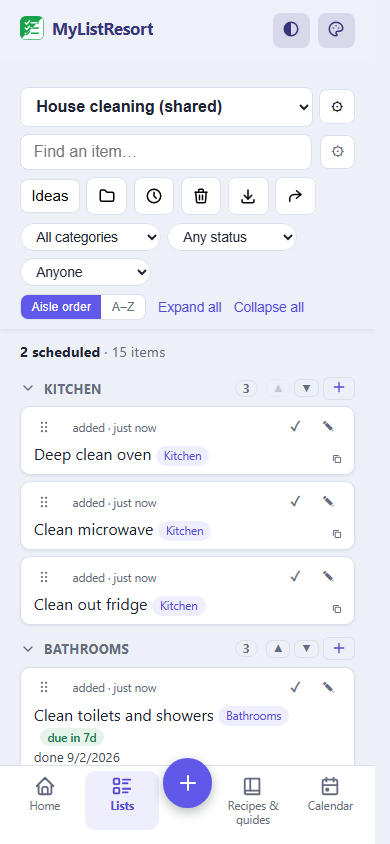
What people track
- dish duty
- toilet paper run
- rent due
- whose turn the bathroom is
Starter templates
Choose a template when you create the list and its categories are set up for you. Many templates also pre-fill a ready checklist, so you start from a working list instead of a blank page. Still fully editable.
Cleaning
- Kitchen
- Bathrooms
- Bedrooms
- Living areas
- Whole home
Starts pre-filled with 15 items, like “Deep clean oven” and “Clean microwave”.
Use this templateGrocery aisles
- Produce
- Bakery
- Deli & prepared
- Breakfast & cereal
- Canned & jarred
- Condiments & sauces
- Baking & spices
- Pantry
- Snacks
- Beverages
- Meat & Seafood
- Dairy & Eggs
- Frozen
- Leftovers
Starts pre-filled with 26 items, like “Bananas” and “Apples”.
Use this templateHousehold supplies
- Household
- Personal Care
- Cleaning Supplies
Starts pre-filled with 12 items, like “Paper towels” and “Toilet paper”.
Use this templateBills & subscriptions
- Rent & utilities
- Insurance & renewals
- Subscriptions
Starts pre-filled with 5 items, like “Rent or mortgage due” and “Settle shared expenses”.
Use this templateRenter upkeep
- Safety
- Appliances
- Bath & drains
- Paperwork & walkthrough
Starts pre-filled with 16 items, like “Test smoke and CO detectors” and “Replace smoke detector batteries”.
Use this templateChores
- To Do
- This week
- Done
Moving
- Kitchen
- Bedroom
- Living Room
- Bathroom
- Garage
- Admin & Utilities
Starts pre-filled with 14 items, like “Schedule the movers or truck” and “Change your address”.
Use this templateFAQ
Can we rotate chores automatically?
Not automatically, and we would rather say so than surprise someone with a chore they never agreed to. What works today: put the cleaning jobs on a repeating schedule and assign each one, and a job comes back around on its own interval once it is marked done. When you trade, changing the name is one tap. Automatic rotation between housemates is on our list, not in the product yet.
Does it split rent or move money?
No, on purpose. MyListResort never connects to a bank, holds a balance, or moves a dollar. Bill rows are reminders: rent due, the streaming audit, the insurance renewal. Keep the split app you already use for who owes what, and keep the dates here so the argument never starts.
What happens when someone moves out?
The list owner can remove a member any time, and their access ends there. Lists stay with whoever created them, so set up the house lists under whoever is staying longest. There is a Moving template for the person leaving, and everyone can export their own data whenever they want.
Do we all have to pay?
No. One account owns a list and invites the others; free covers 2 shared lists with up to 4 people on each, counting the owner. If the house outgrows that, the paid Household tier lifts the caps, and only the owner pays for it.
Every shared house has a chore schedule that died in the group chat around week three. Your last resort is the board everyone actually opens, with names on the cards.